


Choosing a coworking membership sounds simple until you actually start looking. You realize quickly that “coworking” is a broad term covering everything from coffee shops with fast internet to high-end corporate suites with concierge service. Some spaces feel like vibrant libraries; others feel like networking mixers that happen to have desks. Some are perfect for the solo coder needing silence, while others are built for sales teams that need energy and meeting rooms.
If you pick the wrong plan, you risk two outcomes: you either overpay for amenities you never touch, or you end up fighting for a quiet corner every morning, praying the only phone booth is free. The goal is to match the membership to how you actually work, not how you wish you worked.
Start by Asking Yourself the Right Questions

Before you even look at the price list, you need to understand your own work habits. Everyone works differently. Some people thrive in a buzzing cafe atmosphere, while others need absolute silence to write a single email.
- How many days per week will you be on-site?
- Do you need the same seat every time?
- How often do you take calls that require privacy?
- Do you meet clients or partners in person?
- Do you handle sensitive documents or screens?
- Do you need storage, mail handling, or reception support?
- Do you work outside normal business hours?
Answering these questions honestly will save you a lot of time. It will steer you toward the membership that supports your workflow rather than fighting against it.
What Types of Coworking Membership are Usually Available?
Most coworking packages fall into distinct categories. While the branding changes, the physical product and legal rights remain consistent.
Here is what you are actually buying in each tier.
1. Day Pass and Pay-As-You-Go
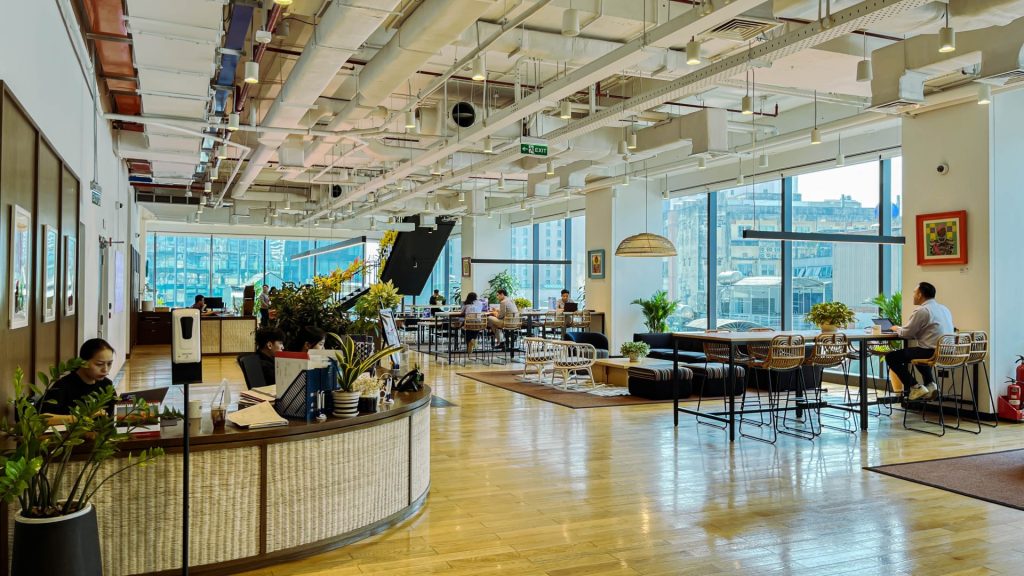
This model is the simplest entry point, effectively treating the coworking space like a hotel lobby where you pay rent by the hour or day. It grants you the right to enter the building for a single day, typically strictly during staffed business hours (9:00 AM to 5:00 PM). You are purchasing access, not ownership or status. You have no designated spot, meaning you are often relegated to the least desirable seats once members have settled in, and you usually have limited access to amenities like printing or meeting rooms unless you pay a surcharge.
This option is best for:
- Very occasional users (once a week or less).
- Business travelers need a professional environment for a single week.
- Testing the space’s Wi-Fi, noise levels, and coffee quality before signing a contract.
Pros:
- Zero long-term commitment or contracts.
- No monthly invoice if you don’t use it.
- Great for testing the “vibe” of different spaces.
- Immediate access to amenities like coffee and high-speed Wi-Fi.
Cons:
- Highest cost-per-day of any plan.
- No guaranteed seating on busy days (spaces prioritize members).
- Usually excludes meeting room credits (pay full price).
- Strictly limited to business hours (no night or weekend access).
- Must check in at the front desk every time, killing efficiency.
2. Part-Time Membership

Often called “Flex Membership,” this tier typically provides a specific allowance of days per month (e.g., 5, 10, or 15 days). Unlike a day pass holder, you are a “member,” meaning you get access to the member app, community events, and often a few meeting room credits. This tier is designed specifically for the modern hybrid worker who splits time between a home office and a professional workspace. It bridges the gap between isolation and commitment, but it requires you to be vigilant about your usage.
This option is best for:
- Hybrid workers with a set schedule (e.g., in-office Tuesdays and Thursdays).
- Freelancers who need a “work outside home” routine without daily overhead.
Pros:
- Significantly cheaper than a full-time hot desk membership.
- Provides a structured routine for hybrid work.
- Includes full access to the digital community/app.
- Often includes a small allowance of meeting credits.
Cons:
- “Use it or lose it” rules (unused days rarely rollover).
- Administrative burden of tracking your remaining days.
- May exclude access during peak demand hours.
- No assigned seat; you still have to hunt for a spot upon arrival.
3. Hot Desk Membership

The “Hot Desk” is the gym membership of the office world. It grants you unlimited monthly access to the common areas, but you do not own any specific real estate. You grab any available seat in the lounge, kitchen, or designated quiet zones. This membership strictly enforces a “clean desk policy”—you must pack up all your belongings every time you leave, even for a long lunch. It creates a nomadic work style that promotes networking but can hinder deep focus if you are sensitive to your environment.
This option is best for:
- Solo workers who do not mind moving around.
- People who primarily work on laptops without heavy peripherals.
- Teams that are distributed and do not need to sit physically adjacent.
Pros:
- Most cost-efficient unlimited access plan.
- Great for networking with different people daily.
- Flexible movement (move to the cafe for noise, library for focus).
- Unlimited coffee and amenity access.
- No lease; usually easy month-to-month terms.
Cons:
- “Seat anxiety” (good spots are gone by 9:30 AM).
- Daily setup and teardown takes 15-20 minutes.
- Inconsistent ergonomics (some days a chair, some days a stool).
- Zero control over neighbor noise levels.
- Lack of monitor or secure storage options.
4. Dedicated Desk Membership
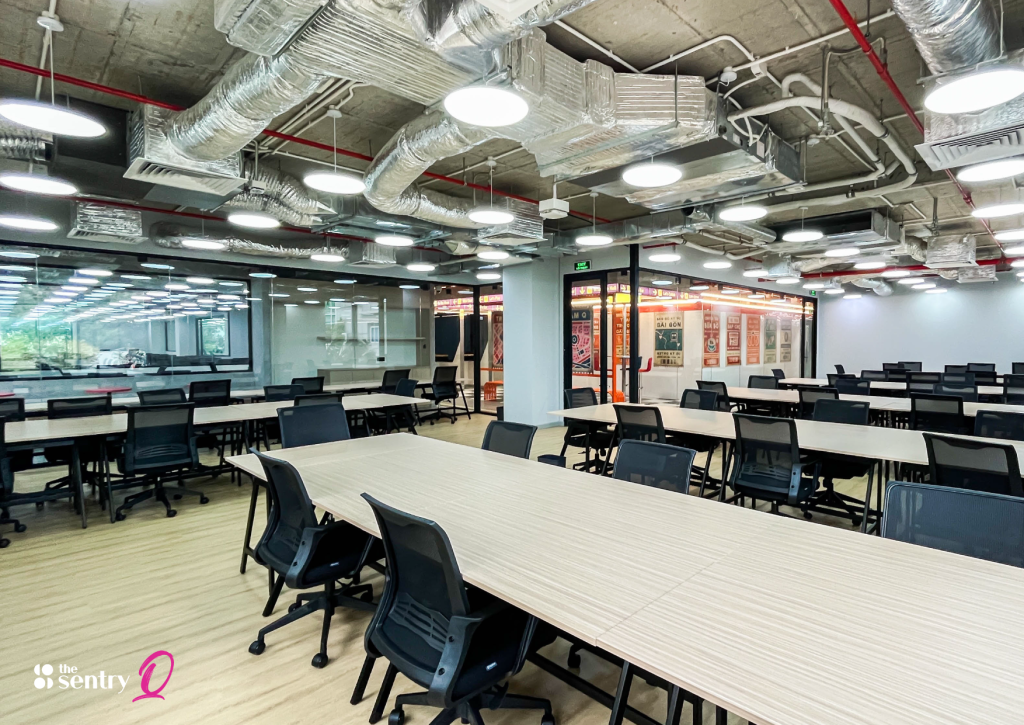
Stepping up from the hot desk, this tier assigns you a specific workstation that is yours 24/7. It is usually located in a shared open-plan room, but unlike the hot desk, this is your territory. You can leave your monitor, mechanical keyboard, stack of files, and photos of your dog overnight. It typically includes a filing cabinet (pedestal) for secure storage and a high-quality ergonomic chair that you don’t have to adjust every morning. This tier solves the “setup fatigue” of hot desking while maintaining the communal energy.
This option is best for:
- People who crave routine and consistency.
- Users with monitor arms, external keyboards, or specialty gear.
- Hybrid workers who still want “their” setup waiting when they arrive.
Pros:
- Personalized setup (monitors, photos, ergonomic gear).
- Includes lockable storage (filing cabinet) for security.
- 24/7 access is usually standard.
- Stability of a “home base” without the private office price.
- Consistent neighbors often lead to better networking.
Cons:
- More expensive than hot desking (sometimes double).
- Still in an open room (noise and visual distractions).
- Cannot simply move if you have an annoying neighbor.
- Visual clutter from other members’ desks can be distracting.
5. Private Office Membership
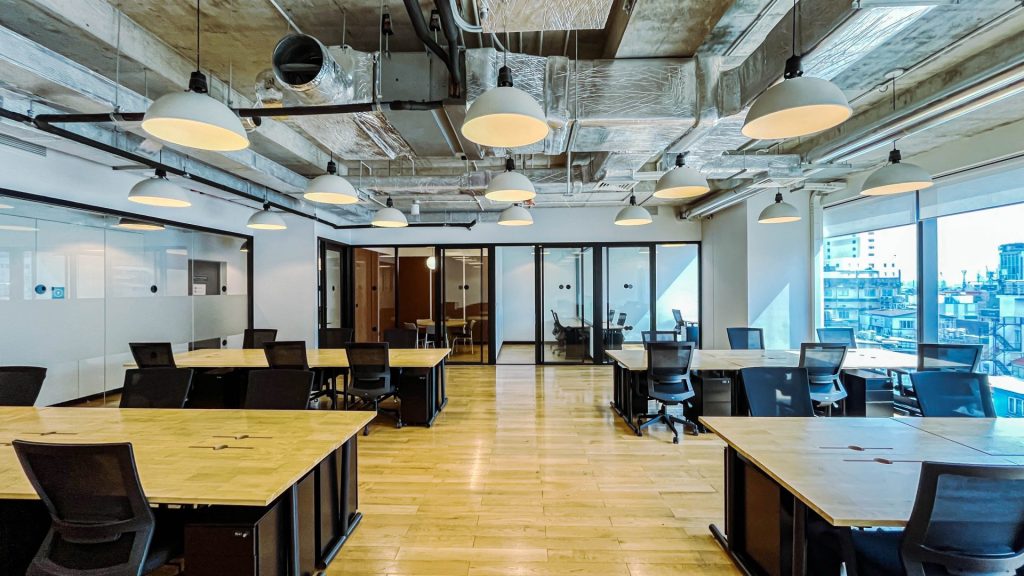
These are enclosed, lockable rooms priced by room size and term length. This is the closest equivalent to a traditional lease but with flexible terms. You control the physical environment, often including the ability to bring in your own furniture, whiteboards, and branding. This is where company culture is built. It separates “us” from “them,” providing a container for your team’s energy, conversations, and sensitive data.
This option is best for:
- Teams that collaborate daily and need to talk freely.
- Roles requiring strict privacy (HR, Legal, Finance).
- Companies need a predictable “home base” for culture building.
Pros:
- Total acoustic and visual privacy (mostly).
- Control over lighting and temperature (sometimes).
- Ability to brand the space and bring your own furniture.
- Generous meeting room credits usually included.
- High security for physical documents/servers.
- Legitimacy for client meetings.
Cons:
- Most expensive membership tier.
- Requires a security deposit (retainer).
- Glass walls often leak sound (acoustic privacy issues).
- Guest limits can be restrictive.
- Harder to downsize quickly if your team shrinks.
6. Team Bundles and Hybrid Plans

As remote work stabilizes, many spaces now offer pooled access for a team (e.g., “50 days of access shared among 10 employees”). This is a complex, custom tier where you are buying a bulk allowance rather than individual memberships. It requires a mindset shift from “one desk per person” to “access on demand.” It is the most financially efficient model for distributed companies, but the most operationally complex to manage.
This option is best for:
- Teams with rotating attendance.
- Organizations trying to avoid paying for empty seats.
Pros:
- Maximizes budget (no paying for empty desks).
- Scales easily as you hire new staff.
- Data on who is actually using the space.
- Flexible for companies with “remote-first” policies.
Cons:
- Requires active administration and tracking.
- Booking software can be clunky or confusing.
- Teams may fight for limited spots on busy days.
- Shared meeting credits can be depleted quickly.
How to Choose the Right Coworking Membership
Choosing a coworking membership is really about matching how you work with the type of space you are paying for.
The wrong package usually means wasted budget or daily friction. The right one quietly supports your routine and lets you focus on actual work.
Start With How Often You Will Use The Space
Be honest about how often you will be on-site. Someone coming in two or three days a week usually needs flexibility. Someone working on-site most weekdays benefits from consistency. Businesses should also look at overlap days when most of the team shows up together, not just individual schedules.
A simple rule helps. Fewer days on-site points toward flexible seating. Daily attendance pushes you toward a fixed setup.
Choose The Desk Or Office Type That Fits Your Privacy Level
Most coworking memberships revolve around three workspace types.
- Hot desk memberships work well for individuals who value flexibility and do not mind changing seats. You share open areas and take available desks. This suits freelancers, remote staff, or founders who split time between locations.
- Dedicated desk memberships give you the same desk every day. This is useful if you want a stable setup, extra monitors, or personal storage without paying for a private room.
- Private office memberships are designed for people or teams who need privacy by default. If you take confidential calls, manage staff, or work closely with the same teammates every day, a private office usually saves time and mental energy.
Factor In Meetings And Calls
Meeting habits often decide whether a membership feels right or frustrating. Track how many calls or meetings you have in a typical week and how long they last. If most of your work involves video calls or client discussions, access to meeting rooms or phone booths matters as much as the desk itself.
Some coworking environments provide focus pods and bookable meeting rooms that reduce the need to upgrade to a larger office purely for calls.
Think About Growth And Flexibility For Teams
For businesses, avoid buying space for a future team that does not exist yet. Many coworking memberships allow you to add desks or move into a larger office later. Start with what your team uses now, then adjust once work patterns settle.
See It for Yourself
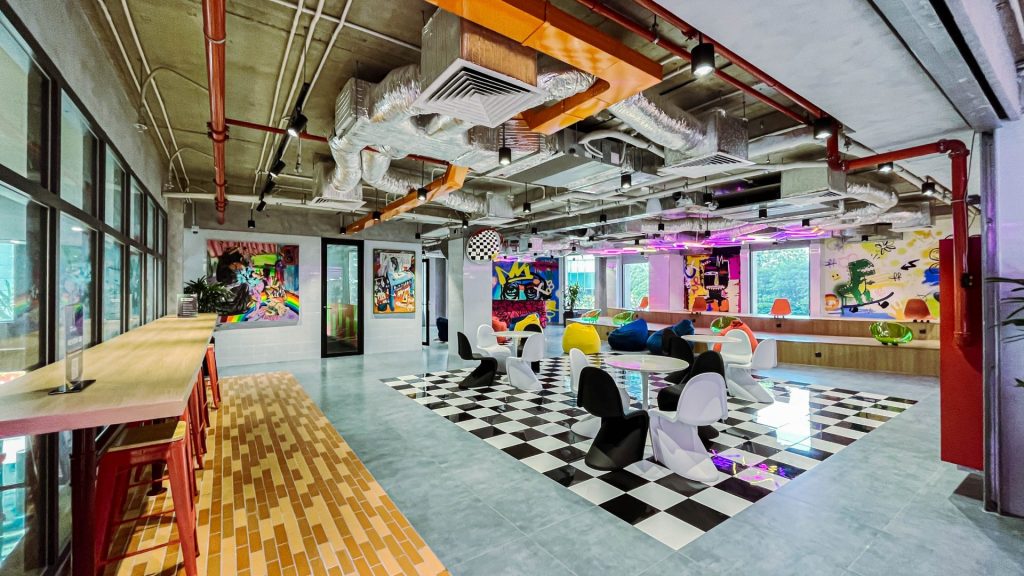
You can read about desks and offices all day, but nothing beats actually walking the floor. You need to see the natural light. You need to sit in the chairs. You need to feel the atmosphere to know if it is the right place for you to build your business.
The Sentry team is ready to show you around and help you figure out exactly which package matches your budget and your working style.
Do not guess with your business environment. Come in and experience it.
Book a tour today and find your new work home.
YOU MAY BE ALSO INTERESTED IN

How To Build Strong Communities Through Events
We live in a time where we are more connected online than ever before. You can send a message to a friend in London while you sit in a coffee shop in Ho Chi Minh City. We have video calls and instant messaging apps that keep us in touch every minute of the day. Yet […]

How to Choose the Right Coworking Membership
Choosing a coworking membership sounds simple until you actually start looking. You realize quickly that “coworking” is a broad term covering everything from coffee shops with fast internet to high-end corporate suites with concierge service. Some spaces feel like vibrant libraries; others feel like networking mixers that happen to have desks. Some are perfect for […]
The Role of Ergonomics in Coworking Spaces
Did you know that the average office worker spends about 1,700 hours a year sitting in front of a computer screen? It is no surprise that many of us go home with stiff necks and aching backs. We often accept this discomfort as a normal part of having a job. We think that tiredness and […]

Interested in this location?
Complete the form below to book a tour or connect with one of our team members to find out more.
